
How to Make Viral Thumbnails in 60 Seconds Secret Prompt
Stop designing thumbnails the slow, manual way. In this tutorial, discover the ultimate AI workflow combining ChatGPT and Midjourney to generate eye catching, high converting thumbnail graphics in seconds. Copy this secret prompt formula to instantly upgrade your visual branding. Create an ultra high quality, photorealistic YouTube thumbnail in a premium finance, trading, business, and educational personal brand style headline left, subject centre, floating topic objects right.
 ChatGPT
What This Prompt Does
- ●Generates photorealistic, premium finance-style YouTube thumbnails featuring a consistent human subject, bold minimal typography, and cinematic studio lighting.
- ●Implements a strict visual hierarchy with the headline on the left, the subject in the center, and floating 3D supporting objects on the right to guide viewer focus.
- ●Uses customizable variables for subject image, headline text, background theme, and color palette to ensure brand consistency across multiple videos while maintaining a professional, high-end aesthetic.
Tips for This Prompt
- ●Upload a high-resolution, front-facing photo of the subject to ensure the AI accurately preserves facial identity and skin texture without distortion.
- ●Keep the main headline to 2–4 words maximum and highlight only one key word in your secondary color to maintain instant readability on mobile devices.
- ●Select supporting objects that directly relate to the video topic (e.g., charts for finance, code screens for tech) to reinforce the message without cluttering the composition.
How to Use the Prompt
- ●Replace the placeholder variables such as [UPLOAD YOUR SUBJECT IMAGE], [YOUR MAIN HEADLINE], and [YOUR TOPIC / INDUSTRY] with your specific assets and text.
- ●Define your color scheme by setting [YOUR PRIMARY COLOR] and [YOUR SECONDARY COLOR] to match your personal brand or video theme.
- ●Example: Upload a photo of a trader, set the headline to "MARKET CRASH", choose "Finance" as the topic, set primary color to "Dark Blue" and secondary to "Neon Green", and list "Stock Charts" as supporting objects.
The Prompt
Create an ultra-high-quality, photorealistic YouTube thumbnail in a premium finance, trading, business, and educational personal-brand style. Use the uploaded reference image as the primary visual style reference.

1. Main Subject (Fully Reusable)

[UPLOAD YOUR SUBJECT IMAGE]

- Use the uploaded person as the main subject.
- Preserve their original facial identity, facial structure, hairstyle, skin tone, and recognizable features.
- Position the person prominently in the center of the composition.
- Show the subject from the waist or chest up, depending on the reference photo.
- Use a natural, confident, professional pose.
- The subject can sit behind a desk, stand, or perform a relevant activity.
- Maintain realistic skin texture, natural anatomy, professional studio lighting, and sharp facial details.
- Subject should occupy approximately 40–50% of the overall composition.
- Add subtle green or theme-colored rim lighting around the subject to separate them from the background.

2. Main Headline (Minimal Text)

Main Text: [YOUR MAIN HEADLINE]

Optional Supporting Text: [SHORT SUPPORTING TEXT]

Typography requirements:

- Use a maximum of 2–4 words for the main headline.
- Keep all text large, bold, and instantly readable.
- Use a modern, heavy sans-serif font such as Anton, Impact, or Bebas Neue.
- Place the headline on the LEFT side of the thumbnail.
- Use white for the primary text and a vibrant theme color for the highlighted keyword.
- Highlight only the most important word.
- Keep text compact with tight line spacing.
- Avoid unnecessary subtitles, descriptions, small labels, and decorative typography.
- Maintain generous left, top, and right margins.
- Text should occupy approximately 25–30% of the composition.
- Ensure excellent contrast against the background.

3. Background (Fully Reusable)

Background Theme: [YOUR TOPIC / INDUSTRY]

Primary Color: [YOUR PRIMARY COLOR]

Secondary Color: [YOUR SECONDARY COLOR]

Create a cinematic, premium studio environment related to the selected topic.

- Use a dark, sophisticated background with subtle gradients.
- Incorporate relevant environmental elements based on the topic.
- Add a subtle technical grid, digital texture, or atmospheric lighting.
- Include a large glowing graphical element, such as an upward-trending line, waveform, financial chart, or abstract light trail.
- Use soft depth of field and layered lighting.
- Add subtle environmental reflections and realistic shadows.
- Keep the background visually rich but not distracting.
- Ensure the subject and headline remain the main focal points.

4. Side Objects / Supporting Elements (Reusable)

Supporting Objects: [INSERT OBJECTS RELATED TO YOUR TOPIC]

Examples:

- Finance: Trading certificates, profit charts, financial dashboards, account statements.
- AI: 3D AI logos, floating interface panels, AI-generated images, digital screens.
- Technology: Computer screens, futuristic interface panels, software dashboards.
- Business: Revenue charts, documents, analytics dashboards, business reports.
- Education: Books, certificates, presentation screens, learning materials.

Placement and styling:

- Position supporting objects on the RIGHT side of the subject.
- Use layered floating panels with different sizes and slight overlaps.
- Give objects realistic 3D depth, perspective, and subtle shadows.
- Use dark glassmorphism or premium matte surfaces.
- Add small, controlled highlights using the selected theme color.
- Make supporting objects recognizable but secondary to the person.
- Avoid excessive clutter and unnecessary decorative elements.

5. Composition & Layout

Follow this visual hierarchy:

- LEFT: Large, minimal headline.
- CENTER: Main human subject, prominently featured.
- RIGHT: Floating topic-related objects, cards, or visual elements.
- BOTTOM: A realistic wooden, dark glass, or topic-appropriate desk when suitable.

Maintain balanced spacing between all elements. Keep the person's face unobstructed. Avoid overlapping the headline with the subject.

6. Lighting & Rendering

- Cinematic professional studio lighting.
- Realistic skin texture and natural facial details.
- High-end commercial photography aesthetic.
- Subtle colored rim lighting.
- Realistic 3D objects and materials.
- Deep shadows with controlled highlights.
- Rich contrast without excessive saturation.
- Premium, polished, photorealistic finish.

7. Output Specifications

- Aspect ratio: 16:9.
- Resolution: 1920 × 1080 or higher.
- Professional YouTube thumbnail composition.
- Sharp focal subject.
- Clear text hierarchy.
- Strong visual contrast.
- Mobile-friendly readability.
- No watermarks.
- No unnecessary logos or random text.
- No excessive visual effects.

Final Direction: Maintain the same premium composition, cinematic lighting, subject positioning, bold minimal typography, and layered supporting-object arrangement as the reference image. Only change the subject, headline, background theme, color palette, and supporting objects according to the supplied variables. The result should look like a professionally art-directed YouTube thumbnail, not a generic AI-generated poster.
Related AI Prompts
Discover more high-performing prompts in Youtube Thumbnail
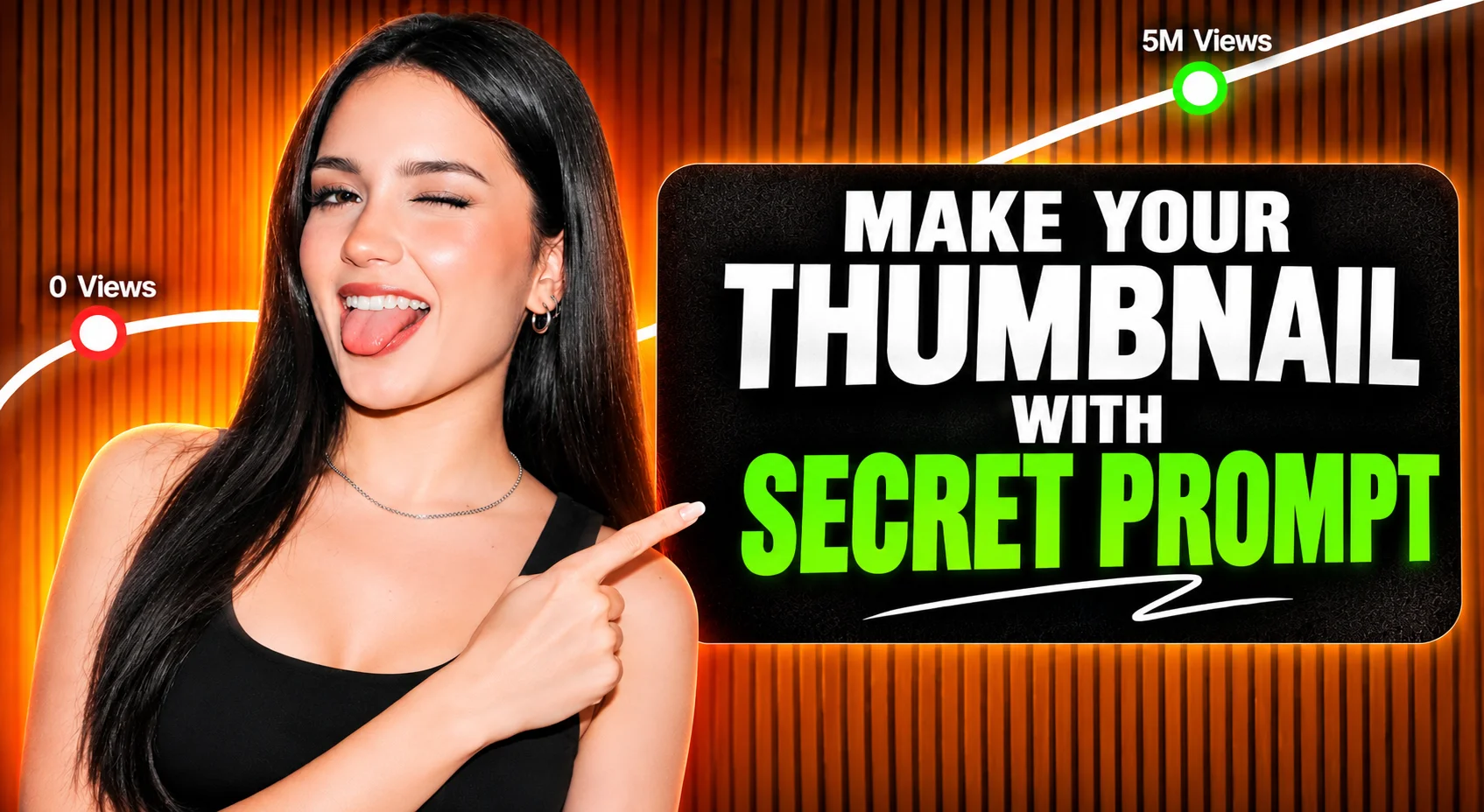
The Secret AI Prompt for 10M+ View Thumbnails
Struggling to get views on your videos? In this video, discover the exact AI prompt used to create viral, high CTR YouTube thumbnails that scale channels from zero to millions of views. Learn how to stop the scroll, craft irresistible visual hooks, and skyrocket your click-through rate without spending hours designing.
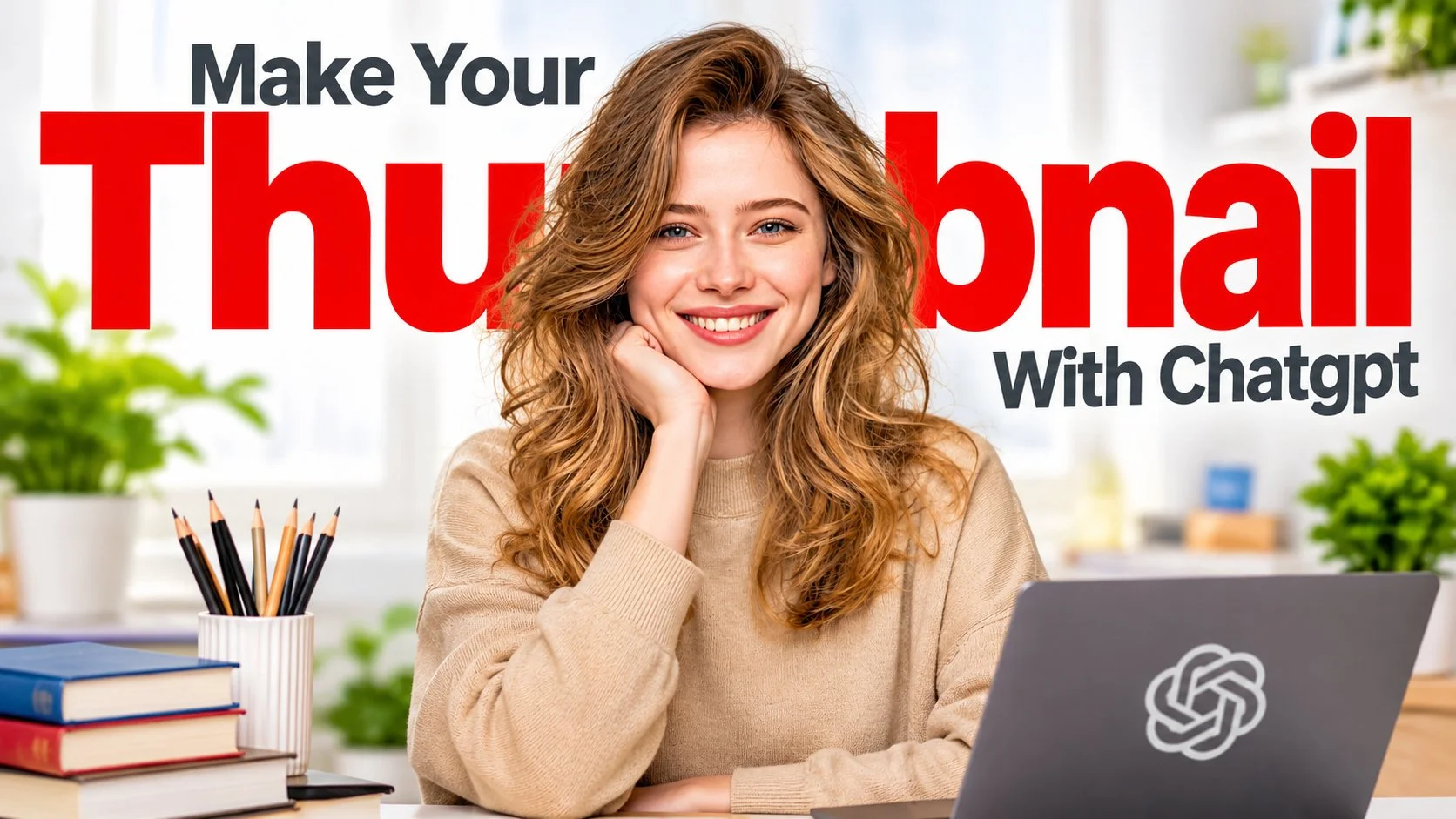
How to Make High CTR Thumbnails Using ONLY ChatGPT
You no longer need expensive design software or Photoshop skills to create professional YouTube thumbnails. In this step by step guide, learn how to use ChatGPT to generate click-worthy thumbnail concepts, layouts, and visuals that drive massive traffic to your videos. Create a high quality, photorealistic YouTube thumbnail in a modern educational, productivity, and personal brand style reusable for any topic, with a big red headline behind the subject.
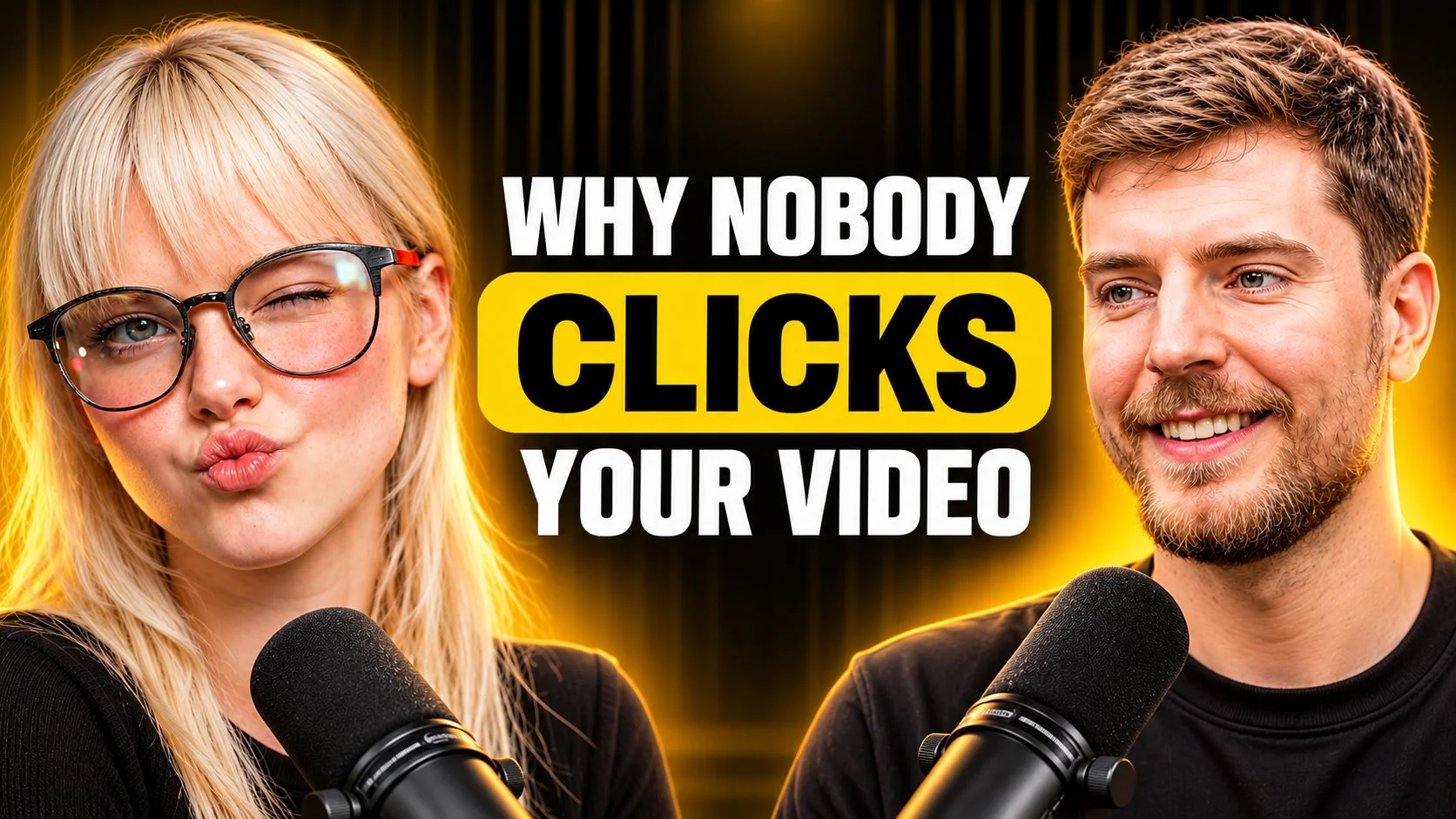
YouTube Thumbnail Prompt Why Nobody Clicks Your Videos
Create an ultra high quality, photorealistic YouTube thumbnail in a premium podcast, interview, business, and personal brand style two subjects, central bold title, dark-and-gold cinematic lighting. Are your videos getting ignored despite hours of hard work? In this breakdown, we reveal the fatal thumbnail mistakes killing your channel’s reach and examine the visual psychology top creators like MrBeast use to dominate the algorithm. Find out exactly what to change so viewers can't resist clicking your content.
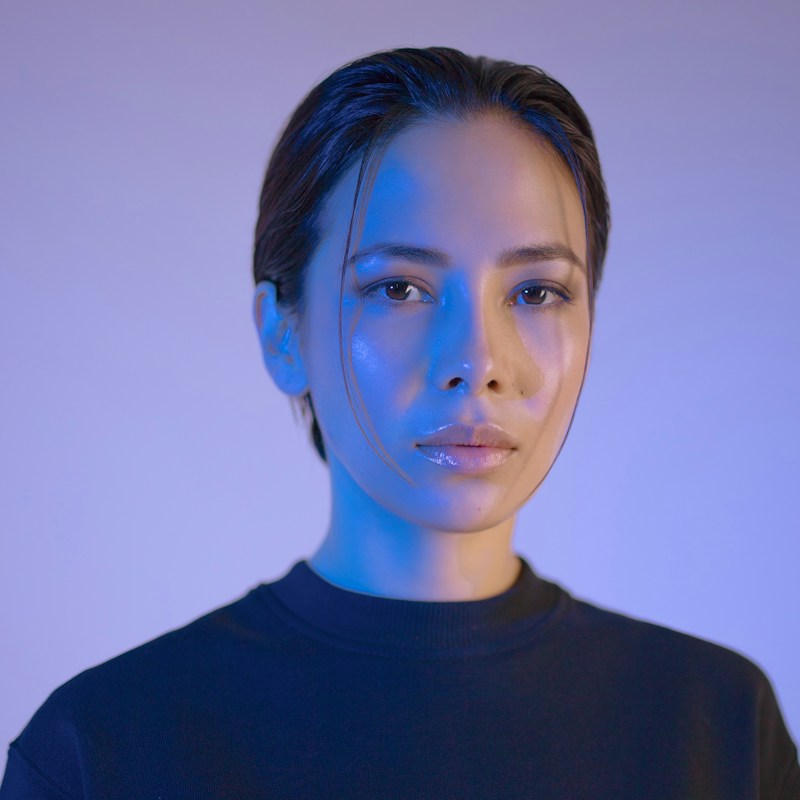
Hyper-Realistic Studio Portraits
A square, shoulders-up close portrait of a young woman looking straight into the camera, with her face centered in the frame. Her dark hair is short, slicked back with a wet look, and a few thin loose strands fall across her forehead and cheek. Her expression is calm, neutral, and serious, with glossy lips and dewy skin that shows realistic, sharp texture. A strong electric blue gel light from the left washes her face in a cool glow, while the right side falls into soft shadow with a faint warm tone. The background is a smooth lavender-periwinkle gradient, and she wears a dark navy crewneck sweatshirt. The overall feel is editorial, futuristic, and quiet, like high-end fashion and beauty photography.


Movie storyboard generation
Input the initial frame photo, AI can generate subsequent frame photos, which you can edit as needed to create a movie storyboard that meets your needs. Next, use our picture-to-video function to generate a coherent video from each frame without changing the characters, for the production of a completely high-quality movie.
Cyberpunk & Sci-Fi Landscapes
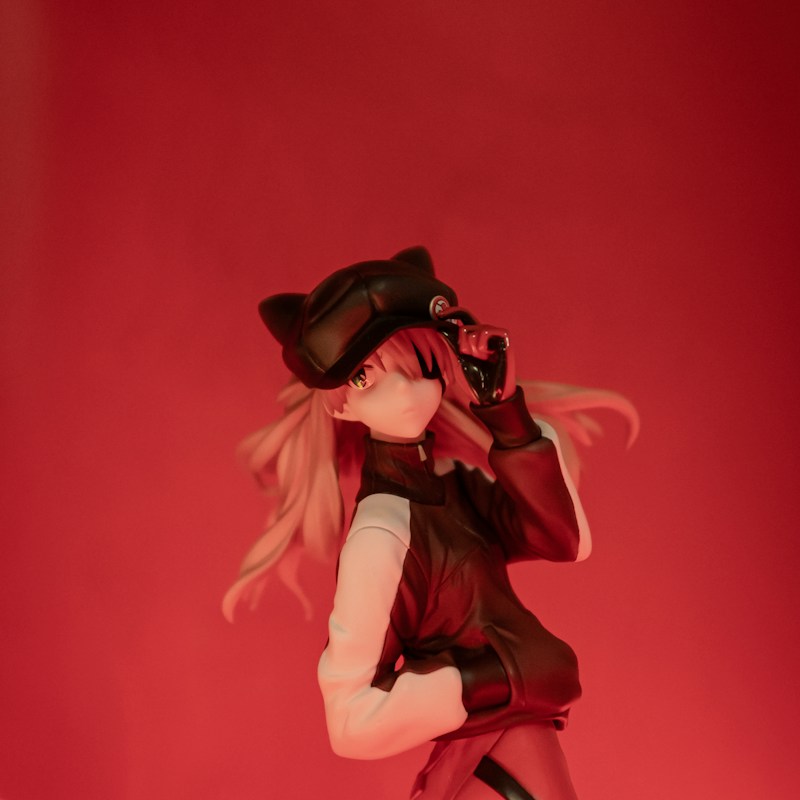
A square, portrait-style product photograph of an anime collectible figure placed in the center of the frame, with plenty of empty red space above. The figure is a girl with long strawberry-blonde and peach hair swept sideways as if by wind. She wears a black newsboy cap with small cat ears and an eyepatch over one eye, while the other eye is golden-amber. Her right hand touches the brim of her cap and her left hand is tucked in her jacket pocket, with her body slightly tilted in a confident pose. She wears a black and white color-block track jacket, dark gloves, and red-maroon trousers. The entire scene is bathed in deep crimson red gel lighting that casts a soft warm glow on her face and hair, and the background is softly blurred. The mood is moody, cinematic, and edgy.