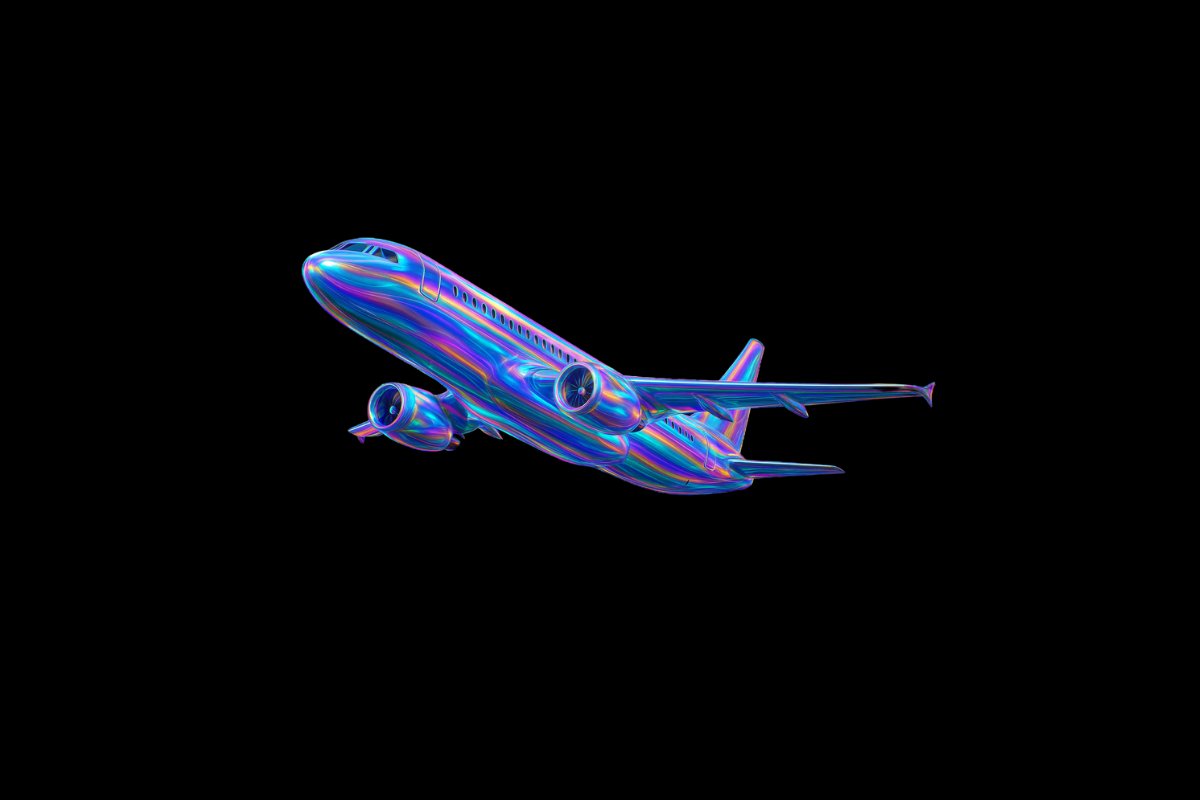
Get Holographic Iridescent Icons
Transform your visuals with this AI image prompt, retexturing images into holographic iridescent masterpieces.
 ChatGPT
What This Prompt Does
- ●Transforms the attached image into a holographic iridescent render with smooth, organic curvature.
- ●Applies a transparent holographic polymer texture with high-gloss sheen and multicolored gradients.
- ●Enhances the image with dynamic color shifts and a solid black background for contrast.
Tips for This Prompt
- ●Ensure your image is high-resolution for best retexturing results.
- ●Consider the dynamic color shifts and choose angles that highlight the iridescent effect.
- ●Use the JSON prompt to guide the AI in creating a visually striking holographic render.
How to Use the Prompt
- ●Step 1: Attach your image.
- ●Step 2: Run the JSON prompt above.
The Prompt
Retexture the image attached based on the JSON below
{
  "style_name": "Holographic Iridescent Render",
  "visual_rules": {
    "form": {
      "shape": "smooth, organic curvature with aerodynamic flow",
      "structure": "continuous surface with no hard edges or segmentations"
    },
    "material": {
      "type": "transparent holographic polymer",
      "finish": "high-gloss, mirror-slick sheen",
      "depth_effect": "light passes through surface and reflects multicolored gradients"
    },
    "lighting": {
      "strategy": "single-source soft glow with internal bloom",
      "interaction": "light refracts and scatters through surface layers, creating rainbow shimmer"
    },
    "color_palette": {
      "primary": "transparent base",
      "accents": ["cyan", "lavender", "pink", "gold", "electric blue"],
      "behavior": "colors shift dynamically based on angle of view and light"
    },
    "texture": {
      "surface_detail": "subtle micro-grooves or brushed flow lines for energy motion effect",
      "feel": "visually smooth with light-tracking texture"
    },
    "background": {
      "type": "solid black or deep void",
      "purpose": "maximize contrast and highlight iridescence"
    },
    "render_style": {
      "dimension": "3D stylized realism",
      "highlight": "hyper-clean reflections",
      "shadows": "minimal or softly feathered"
    }
  }
}
Related AI Prompts
Discover more high-performing prompts in Design
Create Icon Design Concepts
Design killer icons with this AI image prompt, using your chosen style and colors for a unique look.

Generate Icon Designs
Design killer icons with this AI image prompt, using your chosen style and colors for a stunning visual impact.
Create Paper Craft Icons
Create a playful paper craft-style AI image prompt with a colorful, textured emoji logo on a white background.
Create Custom Icons
Design jaw-dropping icons with this AI image prompt, using specific styles and color schemes for standout visuals.
Get Retro Pixel Icons
Transform your images with this AI image prompt, retexturing them into retro pixel UI icons with vibrant colors and outlines.
Get Playful Chunky 3D Icons
Retexture images with this AI image prompt, transforming them into a playful chunky 3D aesthetic with stylized overlays.