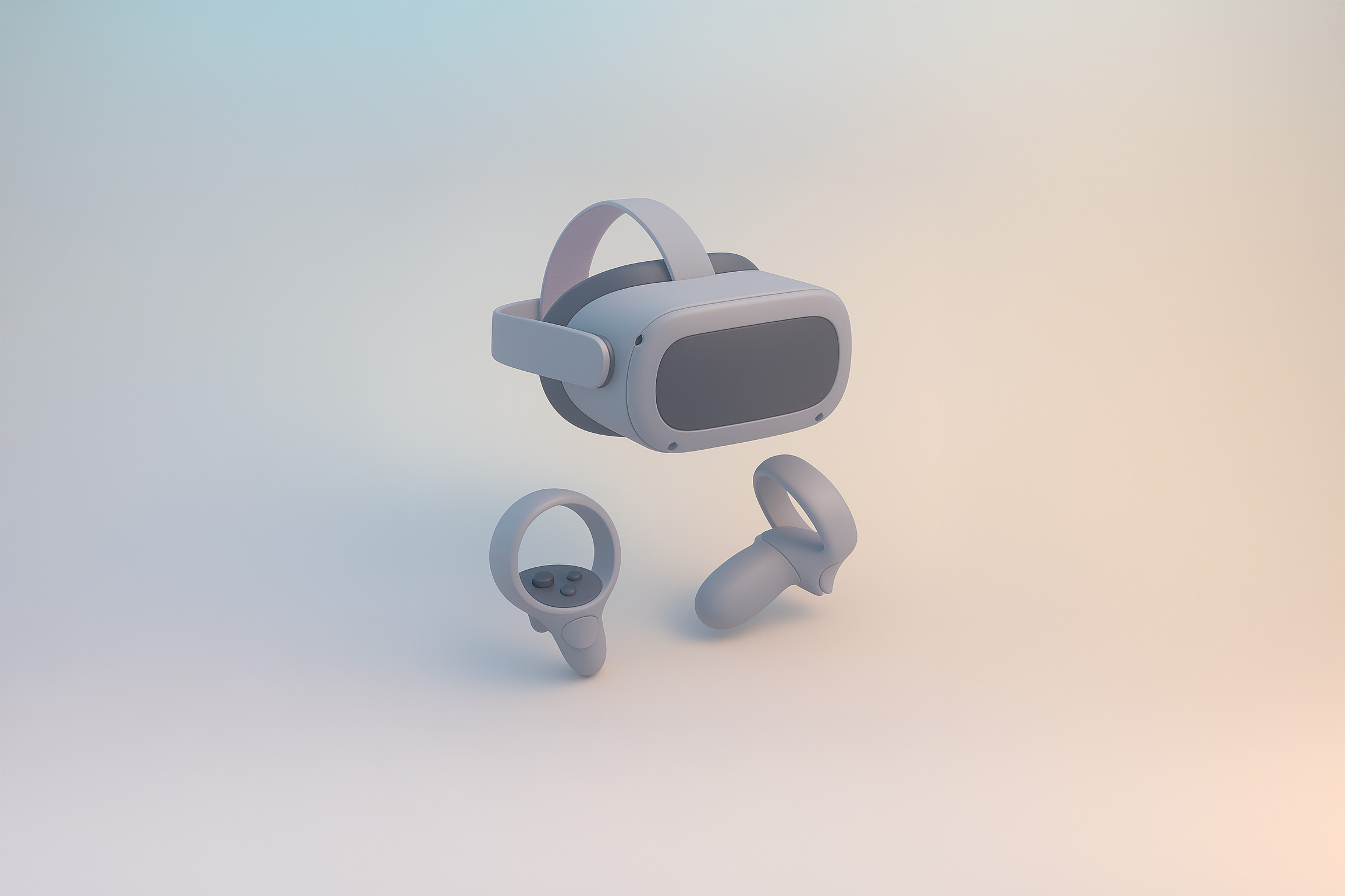
Get Soft Minimal Plastic Icons
Retexture your image with this AI image prompt, transforming it into a Soft Minimal 3D Plastic masterpiece.
 ChatGPT
What This Prompt Does
- ●Retextures the attached image using a Soft Minimal 3D Plastic style, ensuring a smooth and modern appearance.
- ●Applies geometry-sensitive mapping to maintain the object's silhouette while simplifying complex details.
- ●Enhances the image with a pastel gradient background and soft ambient lighting for a cohesive look.
Tips for This Prompt
- ●Choose a central object that benefits from a Soft Minimal 3D Plastic style for a modern, sleek look.
- ●Consider using a color palette that includes cool grey, steel blue, and soft charcoal for the primary colors, with light lavender and pastel yellow as accents.
- ●Use the JSON prompt to guide the AI in retexturing the image with the specified style and material properties.
How to Use the Prompt
- ●Step 1: Attach your image.
- ●Step 2: Run the JSON prompt above to apply the Soft Minimal 3D Plastic style.
- ●Step 3: Review the retextured image for desired effects and adjustments.
The Prompt
Retexture the image attached based on the JSON below
{
  "style_name": "Soft Minimal 3D Plastic",
  "retexture_mode": "shape_lock",
  "object_analysis": {
    "preserve_silhouette": true,
    "geometry_sensitive_mapping": true,
    "detail_retention": "flatten complex details into simplified geometry blocks"
  },
  "material_properties": {
    "base_material": [
      "smooth matte plastic",
      "metallic edge trim with satin finish",
      "semi-reflective black screen surface"
    ],
    "surface_details": [
      "subtle color gradient",
      "rounded bevels and corners",
      "soft transition between surfaces"
    ]
  },
  "lighting": {
    "type": "soft gradient ambient light",
    "shadows": "minimal, soft-edged shadows",
    "highlights": "diffused, low-intensity reflections"
  },
  "background": {
    "color": "pastel gradient (blue to cream)",
    "texture": "smooth and untextured",
    "elements": "clean background with no added geometry"
  },
  "rendering": {
    "style": "isometric 3D render",
    "resolution": "high, with slight bloom",
    "focus": "central object, no depth blur"
  },
  "color_palette": {
    "primary": ["cool grey", "steel blue", "soft charcoal"],
    "accents": ["light lavender", "pastel yellow"]
  }
}
Related AI Prompts
Discover more high-performing prompts in Design
Create Icon Design Concepts
Design killer icons with this AI image prompt, using your chosen style and colors for a unique look.

Generate Icon Designs
Design killer icons with this AI image prompt, using your chosen style and colors for a stunning visual impact.
Create Paper Craft Icons
Create a playful paper craft-style AI image prompt with a colorful, textured emoji logo on a white background.
Create Custom Icons
Design jaw-dropping icons with this AI image prompt, using specific styles and color schemes for standout visuals.
Get Retro Pixel Icons
Transform your images with this AI image prompt, retexturing them into retro pixel UI icons with vibrant colors and outlines.
Get Playful Chunky 3D Icons
Retexture images with this AI image prompt, transforming them into a playful chunky 3D aesthetic with stylized overlays.