GTA VI Prompt Playbook

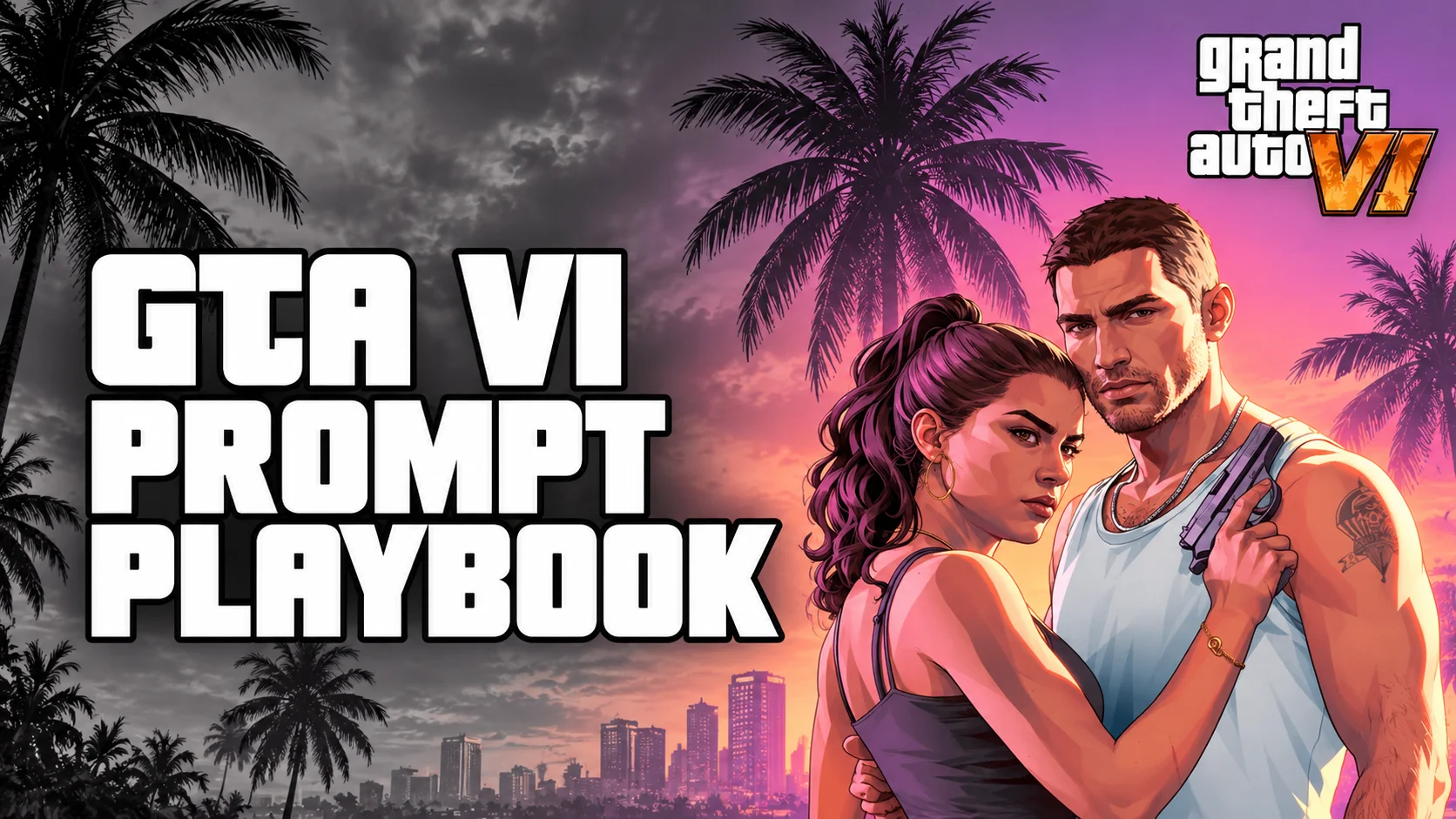
GTA VI Prompt Playbook
Pro prompts, Q&A and social caption kits for ChatGPT, Claude and Gemini
Introduction
Grand Theft Auto VI arrives on November 19, 2026, and the internet is already overflowing with news, rumors, trailers breakdowns, price debates and launch-week plans. If you are a gamer, a blogger, a YouTuber or simply someone who wants to be ready for launch day, AI assistants like ChatGPT, Claude and Gemini can save you a huge amount of time. They can research, summarize, write scripts, plan your week, check claims and even brainstorm thumbnails.
But there is a catch. AI gives you what you ask for, and most people ask badly. A prompt like "tell me about GTA 6" produces a generic, forgettable answer. A well-crafted prompt produces something focused, accurate and ready to use.
This guide is built around that gap. You will learn what is currently known about GTA 6, a simple five-part formula for writing strong prompts, tool-specific tips for ChatGPT, Claude and Gemini, dozens of copy-and-paste prompts, advanced techniques, common mistakes, and how to stay safe from the scams that always surround a huge launch. Everything here is written so you can use it today.
Part 1: GTA 6 Snapshot (Use This as Context for Your Prompts)
The best prompts give the AI correct context. Here is what has been reported so far. Treat it as a starting point and always ask your AI tool to verify with current sources, because details can change.
Release date and platforms
Key Points
- Release date: Thursday, November 19, 2026. After two earlier delays (from fall 2025 to May 2026, then to November 2026), Rockstar and Take-Two CEO Strauss Zelnick have repeatedly said they are confident in this date.
- Platforms: PS5, PS5 Pro, Xbox Series X and Xbox Series S. The game is a current-generation release and is not coming to PS4 or Xbox One.
- PC: No official PC date has been announced. Many reports expect a later release, possibly in 2027, but that is unconfirmed.
- Preload: Preload was announced for November 12, and Rockstar's November 10 notice reportedly opened it early for digital pre-orders. Reports put the download at up to 212 GB, so free up space now.
Price and editions
Key Points
- Standard Edition: $79.99, which is ten dollars above the usual $69.99 price of major releases.
- Ultimate Edition: $99.99.
- Physical copies are reported to include a download code instead of a game disc.
- Zelnick has said the game will not be on Xbox Game Pass on day one.
Story and setting
The game takes place in the fictional state of Leonida, which includes Vice City, and features two protagonists named Jason and Lucia. Much of the public marketing has focused on their story and the neon-soaked atmosphere of the setting.
Why this matters for prompting
When you paste these facts into a prompt, the AI does not have to guess. For example, starting a prompt with "Context: GTA 6 launches November 19, 2026 on PS5 and Xbox Series X|S at $79.99 for the Standard Edition" gives your assistant a reliable foundation. You can then ask it to confirm or update that information using web search.
Part 2: Why Most GTA 6 Prompts Fail
Most people type short, vague requests and then blame the AI when the answer is bland. There are four common reasons weak prompts fail.
First, they have no audience. The AI does not know whether you are writing for hardcore fans, parents buying a gift, or beginners who have never played a GTA game. Second, they have no format. Without guidance, the AI chooses a default length and structure that may not suit you. Third, they have no rules about accuracy. In a topic full of rumors and leaks, an AI that is not told to separate fact from speculation may blend them together. Fourth, they have no date. AI models can rely on older knowledge unless you tell them what day it is and ask them to search.
The fix for all four is the same: write prompts with structure.
Part 3: The Five-Part Pro Prompt Formula
Every strong prompt contains five parts: Role, Context, Task, Format, Constraints. You do not need fancy words. You only need to be clear.
Try it yourself: Browse ready-made prompts in the ProCraft Prompt Library and test your own in the AI Prompt Studio.
Key Points
- Role — tells the AI what expertise to use. GTA 6 example: "You are an experienced gaming journalist."
- Context — gives background and audience. GTA 6 example: "My readers are casual gamers aged 16 to 25 who have not followed the news closely."
- Task — states exactly what you want. GTA 6 example: "Write a 600-word article about the GTA 6 launch."
- Format — shapes the output. GTA 6 example: "Use a short intro, four headings and a three-bullet summary."
- Constraints — sets rules and limits. GTA 6 example: "Only include confirmed facts. Label anything else as Unconfirmed."
The reusable template
A full GTA 6 example
Notice how each sentence does a job. Nothing is wasted, and nothing is left for the AI to guess.

Part 4: ChatGPT Tips and Prompts for GTA 6
ChatGPT is a strong all-rounder. It is quick, flexible and good at brainstorming, rewriting, structuring and everyday tasks. It also supports web search, file and image uploads, voice, and customization features that make repeated work easier.
Tips for getting the most from ChatGPT
1. Turn on web search for news. GTA 6 information changes quickly. Searching ensures the answer reflects recent reporting instead of old memory. 2. Use Custom Instructions. Save your audience, tone and language preferences once so you do not repeat them in every chat. For example: "I write for a casual gaming audience. Keep language simple. Always separate confirmed facts from rumors." 3. Ask for step-by-step planning on big tasks. Say "First outline, then wait for my approval, then write." This avoids long drafts that miss the mark. 4. Assign a persona for feedback. "Act as a strict editor and point out weak sentences" produces sharper critique than "What do you think?" 5. Use tables for comparisons. Editions, platforms and bundles are easier to understand side by side. 6. Upload screenshots and files. If you find a retailer page, a bundle offer or a trailer screenshot, upload it and ask for an explanation. 7. Save repeat workflows. If you make GTA 6 content weekly, keep your instructions in a Project or a custom GPT so you start from a strong base each time. 8. Ask for variations. "Give me five versions with different tones, then combine the best parts" is a reliable way to get a better final draft.
ChatGPT prompt 1: Edition comparison
ChatGPT prompt 2: YouTube script
ChatGPT prompt 3: Social media captions
ChatGPT prompt 4: Study the news cycle
Part 5: Claude Tips and Prompts for GTA 6
Claude is especially strong at long-form writing, careful reasoning, analyzing large documents and matching a writing style. If you want an article that sounds human and stays faithful to your notes, Claude is a great fit.
Tips for getting the most from Claude
1. Give it your notes and tell it to stay inside them. Paste articles, quotes or your own research, then say: "Use only the material below. Do not add outside facts." 2. Use tags to separate instructions from data. Wrapping content in tags like <notes>, <task> and <style_examples> helps Claude understand what is what, especially in long prompts. 3. Teach your voice with examples. Share two or three of your own past posts and ask Claude to match tone, length and structure. 4. Explain why you want something. "I want this to be beginner friendly because my readers are new to the series" gives Claude better judgment than a bare command. 5. Invite honesty. Add "If you are not sure, say you do not know" to reduce confident guessing. 6. Use extended thinking for hard analysis. For rumor evaluation, strategy or comparing complicated claims, enabling deeper reasoning (when available) can improve results. 7. Work in documents. For articles, scripts and guides, having the output in a document you can edit and share is much easier than copying from chat. 8. Iterate with precise edits. Instead of "make it better", say "shorten the intro to two sentences and make the third section more concrete".
Claude prompt 1: Article from your notes
Claude prompt 2: Rumor analysis
Claude prompt 3: Match my writing style
Claude prompt 4: Turn research into a content plan
Part 6: Gemini Tips and Prompts for GTA 6
Gemini shines when you need current information through Google Search, work with Google apps, or analysis of images, PDFs and video. If your workflow lives in Gmail, Drive and Docs, Gemini can feel especially convenient.
Further reading: Gemini 4 Carbon: The Complete Guide to Google's Most Powerful Model (2026).
Tips for getting the most from Gemini
1. Ask for the latest news with sources. Request a date-stamped summary and ask it to separate confirmed facts from rumors. 2. Use multimodal input. Upload a screenshot, a PDF or a video clip and ask targeted questions about it. 3. Connect your Google apps if available. With the right settings enabled, you can ask it to pull notes from Drive or draft something from your documents. 4. State where the output should go. Phrases like "make a table" or "format this for Google Docs" help it produce something ready to use. 5. Try Deep Research for big topics. If your plan includes it, a question like "How might the GTA 6 launch affect the gaming market this holiday season?" can produce a longer, sourced report. 6. Build a Gem. Save custom instructions as a reusable assistant, such as a "GTA 6 content planner" with your audience and tone built in. 7. Use follow-ups to narrow. Start broad, then ask "focus only on the price information" or "remove anything that is a rumor". 8. Check the sources yourself. Search-connected tools are helpful, but always open the cited pages for anything important.
Gemini prompt 1: Latest news digest
Gemini prompt 2: Launch-week planner
Gemini prompt 3: Screenshot or PDF review
Gemini prompt 4: Market overview
Part 7: Prompts That Work on All Three Tools
Some prompts are so useful that you should keep them saved no matter which assistant you use.
The scam-awareness checklist
The fact-checker
The beginner explainer
The thumbnail and title brainstorm
The editor
Part 8: Advanced Prompting Techniques
Once the basics feel natural, these techniques can lift your results further.
1. Few-shot prompting
Show the AI one to three examples of the output you want. If you want captions in a certain style, include two sample captions first. The AI learns the pattern and follows it far more closely than it would from a description alone.
2. Chain of tasks
Break a large job into stages. For a long article, ask first for an outline, then approve it, then request one section at a time. This gives you control and prevents a long draft that drifts away from your plan.
3. Ask the AI to question you
Add a line such as: "Before you start, ask me up to five questions that would help you do this better." This surfaces missing details and often improves the final result dramatically.
4. Self-review
After the AI answers, ask it to review its own work: "Check the answer above for any claims that might be unverified or outdated, and list them." This is not perfect, but it often catches weak points.
5. Role and audience swapping
Ask for the same content from different perspectives: a skeptical reviewer, an excited fan, a parent shopping for a gift. Comparing these versions reveals angles you may have missed.
6. Constraint-driven creativity
Creativity improves with limits. "Write a caption in under 12 words" or "explain it using a cooking metaphor" can produce more memorable results than an open request.
7. Output formatting for reuse
If you want to paste results into a spreadsheet, ask for a table or CSV. If you want to publish, ask for headings and short paragraphs. Always think about where the answer will go next.
8. Version control inside chat
Name your drafts: "Keep this as Version A. Now create Version B with a more humorous tone." Then you can compare, merge or return to earlier versions without confusion.
Part 9: Which Tool Should You Use?
Each assistant has strengths, and many creators use more than one. This table is a general guide. Features change often, so check what your own plan includes.
Key Points
- Quick brainstorming and everyday tasks — ChatGPT is a good fit.
- Long articles in your own voice — Claude is a good fit.
- Analyzing long documents and notes — Claude or Gemini is a good fit.
- Latest news with Google Search — Gemini or ChatGPT with web search is a good fit.
- Working with Gmail, Drive and Docs — Gemini is a good fit.
- Image, PDF and video analysis — Gemini or ChatGPT is a good fit.
- Rumor evaluation and careful reasoning — Claude is a good fit.
A practical workflow is to research with a search-enabled tool, draft with the assistant that best matches your voice, and then run a final check on facts using a second tool.
Part 10: Common Mistakes to Avoid
1. Being vague. "Write about GTA 6" gives the AI nothing to work with. Add audience, format and goal. 2. Trusting everything. AI can be wrong, especially about fast-moving news. Verify dates, prices and statistics on official pages. 3. Forgetting the date. Always include today's date and ask for search when freshness matters. 4. Mixing unrelated tasks in one chat. Long chats with many topics can confuse the output. Start a new chat for a new project. 5. Stating rumors as facts. Tell the AI to label speculation, and keep that label in your final content. 6. Copying official material. Do not reproduce official logos, character art or marketing images in your own thumbnails and posts. Use original designs. 7. Sharing sensitive data. Never paste passwords, payment details or personal ID numbers into any AI tool. 8. Believing in hacks. Websites promising "GTA 6 hack tools" or "free keys" are scams. The real hack is a clear prompt and a good habit of verifying.
Part 11: Staying Safe from GTA 6 Scams
Every major launch attracts scammers, and GTA 6 is no exception. Keep these rules in mind.
Key Points
- Buy only from the PlayStation Store, Xbox Store, Rockstar's official store or an authorized retailer.
- Ignore "early access", "leaked build" and "free key" messages, especially on social media and in direct messages.
- Since no PC version has been announced, any "GTA 6 PC download" is fake. Do not click it.
- Never share your account password, verification codes or payment information with anyone who contacts you about the game.
- If a deal looks too good to be true, check the official channels before you do anything.
You can use your AI assistant to help here, too. Paste a suspicious message and ask: "Does this look like a scam? List the warning signs and what I should do next."
Part 12: Your Launch-Week Prompt Pack
Here is a quick pack you can save and reuse during launch week.
Key Points
- Day -5 to -1: "Create a checklist for preparing my console for GTA 6, including storage, preload, updates and controller charging."
- Launch day: "Plan a realistic play schedule for the first weekend that includes breaks, meals and sleep."
- Content creators: "Give me 10 video ideas about GTA 6 launch week, each with a hook and a target audience."
- Spoiler protection: "Write a polite message I can send to friends asking them not to spoil the story for me."
- After launch: "Help me write a balanced, honest review outline for GTA 6 that covers story, world, performance and value for money."
Part 13: Launch-Week Update (November 15, 2026)
GTA VI launches in four days, and the news cycle has moved from "will it ship?" to "are you ready?". Here is where things stand, based on recent reports. Details can shift, so verify on Rockstar's official channels before you act.
Key Points
- Release date: Still Thursday, November 19, 2026, on PS5, PS5 Pro, Xbox Series X and Xbox Series S.
- Preload: Announced for November 12, and reportedly opened early for digital pre-orders after a November 10 notice. Physical copies reportedly contain a download code, so boxed buyers must receive and redeem the code before they can preload.
- Download size: Reports put it at up to about 212 GB. Free up at least that much space, plus room for a day-one patch.
- Development status: Some outlets report the game has "gone gold", meaning development is finished for launch.
- Demand: Outlets report record pre-order numbers on both PlayStation and Xbox stores, with digital pre-orders reportedly close to 8 million.
- Single-player focus: Reports say GTA VI launches as a single-player experience, with no new online mode and no microtransactions at launch. Treat this as reported rather than final until you see Rockstar's own confirmation.
- Console details: Reports mention a 30 fps target and extra visual enhancements on PS5 Pro. Sources disagree on Xbox One cloud access, so do not assume a native Xbox One version.
Prompt to track updates:

Part 14: The Trend Playbook, When Everyone Starts Working at Once
When a huge event like GTA VI arrives, every blogger, YouTuber and social account starts publishing the same things within hours. The winners are not always the fastest. They are the ones who are fast and also clear, accurate and different. AI helps with all three, but only if you use it with a plan.
The 4-step trend workflow
1. Collect. Gather facts from official sources first, then reputable news. Put them in one notes file. 2. Angle. Pick one angle nobody else is covering, such as "first-weekend checklist for parents" or "what to do if your download is stuck". 3. Draft with AI. Feed your notes and angle into the five-part prompt formula, then edit by hand. 4. Verify and post. Check every date, price and number against an official page before publishing.
Speed without sloppiness
Key Points
- Prepare templates now, so launch day is only a matter of filling in details.
- Keep a "confirmed facts" list and update it as news changes.
- Never post a rumor as news. Label it or leave it out.
- Respond to real questions people ask in comments and replies. That is where you stand out.
Prompt: find an angle nobody else has
Prompt: the 24-hour launch sprint
Part 15: GTA VI Answer Prompts, Getting Accurate Answers from AI
Fans will ask the same questions again and again: Is it delayed? What is the price? Can I play on PC? Which edition should I buy? If you answer them clearly, you earn trust. These prompts help you get answers you can rely on.
The accuracy-first answer prompt
The "answer like a friend" prompt
The comment-reply prompt
The myth-buster prompt
The edition decision prompt
Tip: Save your best answers as a "launch FAQ" document. Update it each day, and reuse it across articles, replies and videos.
Part 16: New Player Q&A
Short answers for people new to GTA VI. Answers reflect recent reports as of November 15, 2026, so confirm anything critical on official pages.
Q: When does GTA VI come out? A: Thursday, November 19, 2026.
Q: Which consoles can play it? A: PS5, PS5 Pro, Xbox Series X and Xbox Series S. There is no native PS4 or Xbox One version, and no confirmed PC date.
Q: How much does it cost? A: Reported prices are $79.99 for Standard and $99.99 for Ultimate. Local prices vary by region.
Q: Do I need to have played earlier GTA games? A: No. Each GTA game tells its own story, so you can start here.
Q: Is there a disc? A: Reports say physical copies include a download code instead of a game disc. Check your retailer listing.
Q: Can I preload, and how big is the download? A: Yes, if you pre-ordered. Reports put the size at up to about 212 GB, so clear storage first.
Q: Will I need an internet connection? A: You need one to download and redeem the game and to install updates. Check Rockstar's official notes for offline play details.
Q: Is there an online mode? A: Reports say GTA VI launches as a single-player experience, with no new online mode at launch. Watch for official updates.
Q: Who are the main characters? A: Jason and Lucia, set in Leonida and Vice City.
Q: Is it on Xbox Game Pass? A: Take-Two's CEO has said it will not be on Game Pass on day one.
Q: Should I buy now or wait for reviews? A: If you can wait, reviews arrive soon after launch. If you pre-ordered, you can preload now and decide how soon to play.
Q: How do I avoid scams? A: Buy only from official stores or authorized retailers, ignore "free key" and "early access" offers, and never share account codes.
Q: Is it suitable for kids? A: GTA games are mature-rated. Check the official age rating in your region and use parental controls on your console.
Prompt: turn this Q&A into content
Part 17: X and Social Media Clip Caption Kit for GTA VI
On launch day, X, TikTok, Instagram Reels and YouTube Shorts will fill with clips. A strong caption makes your clip stand out in the first second. Use these prompts to build captions fast, then edit them to match your voice.
Before you post: Use clips you recorded yourself or have permission to use. Follow the platform's rules and the publisher's content guidelines. Avoid spoilers in the first line, and add a spoiler warning when needed.
The universal caption prompt
X (Twitter) pack
Single-post captions
Thread from a clip
Reply and quote-post ideas
TikTok, Reels and Shorts pack
Clip title and cover-text pack
Reaction and moment pack
Community and engagement pack
Safety and quality checklist for captions
1. Does it avoid spoilers or flag them clearly? 2. Is every fact confirmed or labeled as a rumor? 3. Does it avoid official logos, trademarked art and copied text? 4. Is it honest, with no fake giveaways or fake leaks? 5. Does it fit the character limit and read well on a phone?
Posting rhythm for launch week
Key Points
- Day before launch: countdown and checklist posts.
- Launch day: quick reaction clips, first impressions and tips.
- Day after: a deeper post, such as a settings guide or beginner tips.
- Weekend: polls, replies and a recap of what the community discovered.
Tip: Create a caption bank now with 30 ready captions in different tones. On launch day, swap in the clip details and post in minutes.

More Resources from ProCraft
Key Points
- ProCraft Home
- AI Prompt Studio: write and test prompts.
- Prompt Library: ready-made prompts to copy and adapt.
- Image to Prompt: create prompts from images.
- AI Directory: explore AI tools.
- ProCraft Blog: more guides and tutorials.
- Gemini 4 Carbon: The Complete Guide to Google's Most Powerful Model (2026)
- Prompt Engineering Guide: the five-part formula in depth.
Conclusion
GTA 6 is almost here, and the people who get the most from AI will be the ones who ask clearly. Remember the five parts: Role, Context, Task, Format and Constraints. Add the date, request sources, separate facts from rumors and verify anything important on official pages.
Use ChatGPT when you want speed and flexibility, Claude when you want careful long-form writing in your own voice, and Gemini when you want current information and Google-connected workflows. Whichever tool you choose, treat the first answer as a draft, iterate with precise follow-ups, and stay safe from scams. Do that, and your GTA 6 research, content and planning will be sharper, faster and more trustworthy than most.
Cover Title and Thumbnail Prompt
Short cover title options: GTA 6 Pro Prompts · GTA 6 x AI · Prompt Like a Pro
Thumbnail prompt:
Have a reference image? Turn it into a prompt with the Image to Prompt tool, then adjust the details for your own original thumbnail.
Thumbnail tips:
Key Points
- Keep the text to three or four words so it is readable on a phone.
- Use original artwork instead of official logos or characters.
- Test two versions with different color grades, such as pink and cyan versus red and teal.
Thumbnail Tips in Detail
1. One focal point. Pick a single subject, such as the car silhouette or the chat bubble, and make it the largest element. Busy thumbnails lose clicks on small phone screens. 2. Think in thirds. Place the subject on one side and leave the other side clean for text. This keeps the layout balanced and readable. 3. Test at small size. Shrink the image to about 120 pixels wide. If you cannot read the text or see the subject, simplify it. 4. Make text pop. Use thick letters, a high-contrast color and an outline or soft shadow. Two colors for text is plenty. 5. Choose a palette on purpose. Pink and cyan feels retro and neon. Red and teal feels cinematic. Orange and deep blue feels like sunset. Keep to two main colors and one accent. 6. Avoid the corners. Video timestamps and buttons often cover the bottom-right corner, so keep key text away from it. 7. Keep it honest. The thumbnail should match what the video or post actually delivers, with no fake leaks and no made-up claims. 8. Stay original. Do not use official logos, characters, key art or real people. Design your own scene, symbols and silhouettes. 9. Add text in an editor. AI image tools often misspell text. Generate the art with empty space, then add your headline in a design app or editor.
Common Thumbnail Sizes
Key Points
- YouTube — 16:9, 1280 x 720 px.
- X (Twitter) link or image post — 16:9, 1200 x 675 px.
- Instagram feed — 4:5, 1080 x 1350 px.
- TikTok, Reels, Shorts cover — 9:16, 1080 x 1920 px.
Sizes and limits can change, so check each platform's current guidelines before you upload.
More Thumbnail Prompts
Prompt 2: Red and teal cinematic
Prompt 3: Countdown style
Prompt 4: AI prompt tips split screen
Prompt 5: Minimal text-first
Prompt 6: Vertical cover for Shorts, Reels and TikTok
Prompt 7: Negative prompt (what to avoid)
Prompt 8: Refine an image you like
Prompt 9: Generate thumbnail concepts with a chat AI
Prompt 10: A/B test planner
Pro workflow: Use a chat AI (ChatGPT, Claude or Gemini) to brainstorm concepts, an image tool to generate the base art, and a design editor to add your headline. Then run an A/B test and keep the version that performs better.
Image Metadata and SEO Keywords for GTA VI
Good image metadata helps search engines and screen readers understand your thumbnail or article image. Fill in each field naturally, use one main keyword per image, and never stuff keywords. These are suggestions, not guaranteed rankings, so check search volume in your own SEO tool.
Primary keywords
Key Points
- GTA VI
- GTA 6
- Grand Theft Auto VI
- GTA 6 release date
- GTA 6 launch day
- GTA 6 preload
- GTA 6 price
- GTA 6 pre-order
- GTA 6 PS5
- GTA 6 Xbox Series X
Secondary and long-tail keywords
Key Points
- GTA 6 launch week guide
- GTA 6 download size
- GTA 6 Standard vs Ultimate Edition
- GTA 6 beginner tips
- GTA 6 new player Q&A
- GTA 6 FAQ
- is GTA 6 single player
- GTA 6 PC release date
- how to preload GTA 6
- GTA 6 scams to avoid
- GTA 6 Vice City Leonida
- GTA 6 Jason and Lucia
- GTA 6 launch checklist
AI prompt keywords (for this article's theme)
Key Points
- GTA 6 AI prompts
- ChatGPT prompts for GTA 6
- Claude prompts for gaming content
- Gemini prompts for gamers
- AI prompt tips for content creators
- pro prompt formula
- social media captions for GTA 6
- GTA 6 thumbnail prompt
- AI thumbnail prompt for YouTube
Bangla and Banglish keywords
Key Points
- GTA 6 release date Bangladesh
- GTA 6 price in Bangladesh
- GTA 6 kobe asbe
- GTA 6 PS5 dam koto
- GTA 6 preload kivabe korbo
- GTA 6 niye sob kichu
- GTA 6 Bangla review
- GTA 6 prompt tips Bangla
Metadata fields: what to write
Key Points
- File name — Lowercase, hyphens, 3 to 6 words, main keyword first. Example:
gta-6-launch-day-ai-prompts-thumbnail.jpg - Alt text — Describe the image in one clear sentence, include the keyword once, under about 125 characters. Example: "Neon sunset skyline with sports car silhouette and AI chat bubble for GTA 6 prompt tips"
- Title attribute — Short, readable, matches the page topic. Example: "GTA 6 AI Prompt Playbook"
- Caption — One helpful line for readers. Example: "Original thumbnail art for our GTA 6 launch week prompt guide."
- Description — 1 to 2 sentences with context and a secondary keyword. Example: "Original artwork created for a GTA 6 launch guide covering ChatGPT, Claude and Gemini prompts."
- Tags — 8 to 15 relevant tags, no unrelated terms. Example: gta 6, grand theft auto vi, gta 6 release date, ai prompts, chatgpt prompts, gaming content
- Hashtags (social) — 2 to 5 focused tags. Example: #GTA6 #GTAVI #AIPrompts
Alt text examples
1. "GTA 6 launch day countdown graphic with neon sunset and palm trees" 2. "Comparison table of GTA 6 Standard and Ultimate Edition prices" 3. "ChatGPT, Claude and Gemini logos beside a pro prompt formula chart" (use only if you have the right to show those logos; otherwise describe it as "AI assistants prompt formula chart") 4. "Checklist for GTA 6 preload, storage and console updates" 5. "Social media caption kit template for GTA 6 launch clips"
SEO rules for image metadata
1. Use one main keyword per image and vary the wording across images. 2. Describe what is actually in the image. Do not use alt text only to stuff keywords. 3. Keep file sizes small and use modern formats like WebP or compressed JPG for faster loading. 4. Use original artwork. Do not use official logos, characters or key art, and do not imply the image is official. 5. Add alt text to every meaningful image. Decorative images can have empty alt text. 6. Put the image near the text it supports, and add a caption when it helps the reader. 7. Use clear, descriptive file names instead of IMG_1234.jpg or thumbnail-final-final.png. 8. Update tags and descriptions if details change, such as dates or prices.
Prompt: generate image metadata with AI
Explore More Tested Prompts & AI Workflows
Browse 6,800+ copy-ready AI prompts and 5,000+ curated AI tools on ProCraft.